
Press Ctrl-O and choose "Publish a tag" to bulk-publish all notes in a tag.
Navigate to Note Options -> "Publish note and all of its children" to bulk-publish a note and all notes linked to from it, recursively.
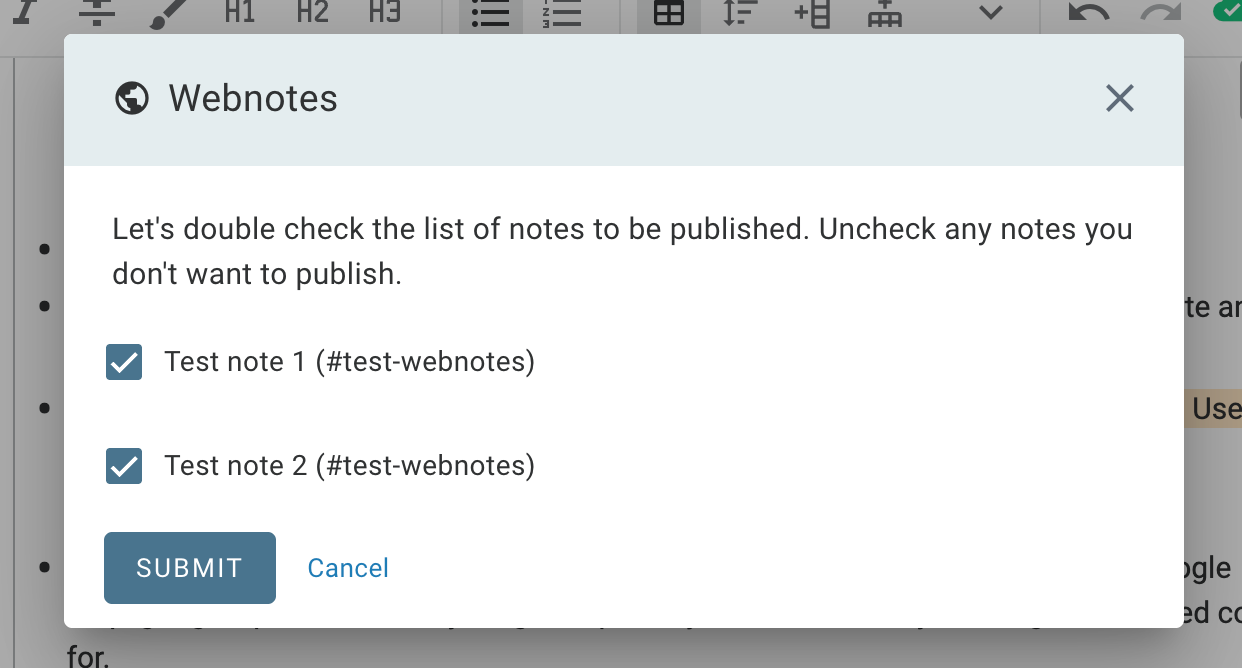
You will always see a list of notes to be published before they are actually published. Use this list to check off any entries you'd rather not make public just yet:
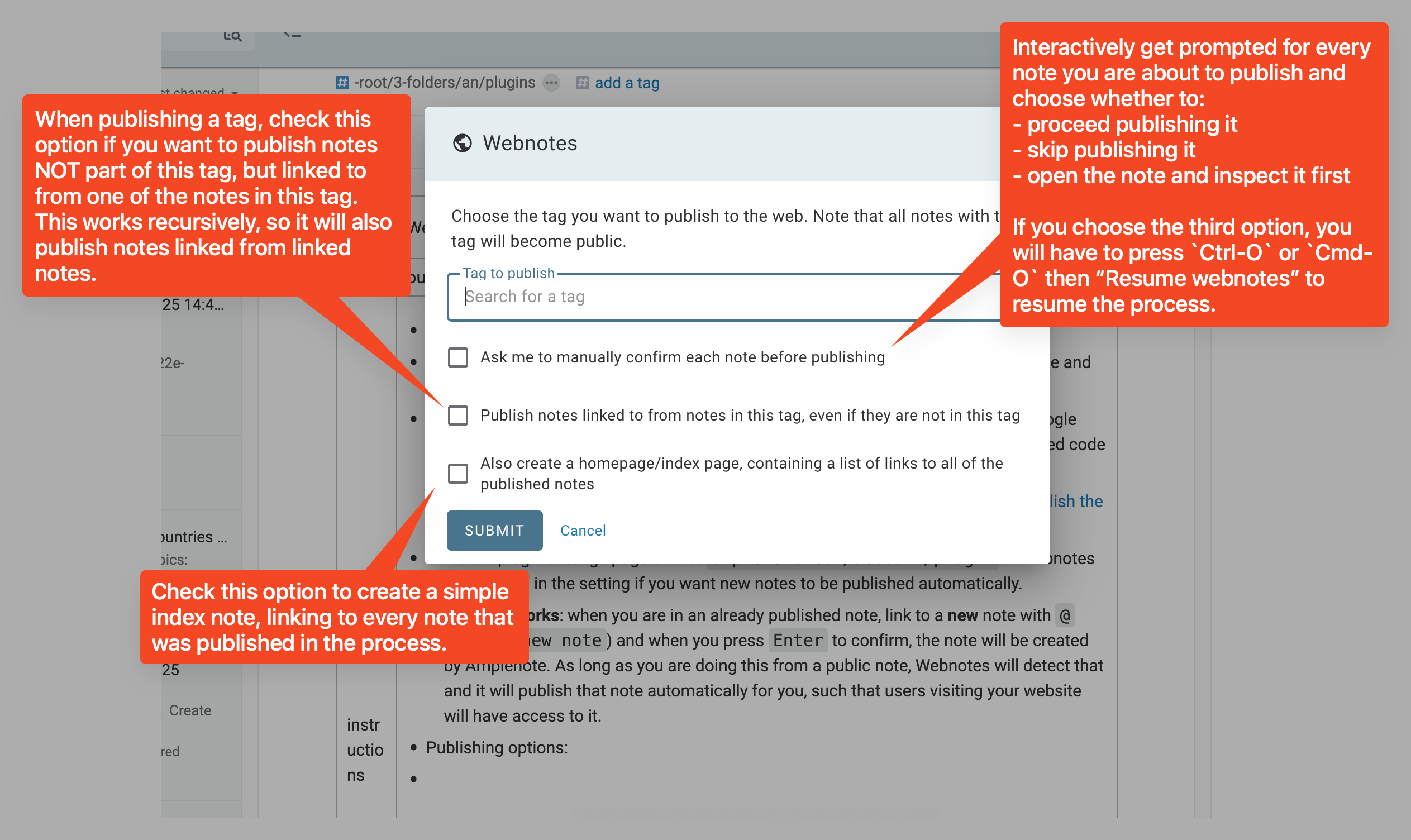
Publishing options:
Type {embed} anywhere in a note to paste the embed code of a youtube video, google map, google spreadsheet/anything else publicly accessible that you can get an embed code for.
If you want the embed to display on the public version of your note, simply publish the source note of this plugin.
You can also simply paste plain HTML here and it will be rendered
Go to the plugin settings page over at amplenote.com/account/plugin -> Webnotes and type "yes" in the setting if you want new notes to be published automatically.
How this works: when you are in an already published note, link to a new note with @ (eg. @My new note) and when you press Enter to confirm, the note will be created by Amplenote. As long as you are doing this from a public note, Webnotes will detect that and it will publish that note automatically for you, such that users visiting your website will have access to it.
Release notes:
August 29th, 2026:
You can also paste plain HTML inside {embed} now